

Smart home sensors can make maintenance easier by noticing a limited condition and sending a timely alert. A moisture puck may report water at one spot, a temperature sensor may flag a freezer that is warming, and a contact sensor may show that a utility door changed state. These small signals can help a household respond sooner, but only when each device has a specific job, a tested alert path, and a person who knows what to inspect.
A sensor does not inspect the whole building, identify the root cause, or prove that a system is safe. Placement, batteries, network service, thresholds, environmental conditions, and device design all affect what it detects. Treat alerts as prompts for direct inspection, not as replacements for routine maintenance, equipment manuals, leases, local requirements, or qualified plumbers, electricians, HVAC technicians, appliance professionals, roofers, and other specialists. Never bypass a safety control or attempt hazardous work because an app suggests a simple explanation.
Map maintenance risks room by room
Walk through the home with a simple list of systems and vulnerable areas. Note water supplies and drains, appliances, sump or utility spaces, HVAC equipment, refrigerators and freezers, exterior doors, attics or crawl spaces that are safely accessible, and places with a history of condensation or temperature extremes. Do not enter confined, unstable, wet, energized, or otherwise hazardous spaces to place a sensor. Ask a qualified professional when access or installation is uncertain.
For each location, write the failure you want to notice and the action a person could take. “Water reaches the floor beside the washing machine” is actionable. “Monitor the laundry room” is vague. Record who owns the response, how quickly it matters, and whether that person can reach the home. This prevents a common problem: collecting interesting readings without a maintenance decision attached to them.
Rank the list by consequence and detectability, not novelty. A small leak near vulnerable flooring may deserve an early-warning sensor. A rarely used freezer may benefit from temperature monitoring if food loss would matter. A closet door counter probably adds little unless its state affects ventilation, equipment access, or another known routine. Some risks are better managed by replacement, repair, cleaning, or professional inspection than by another notification.
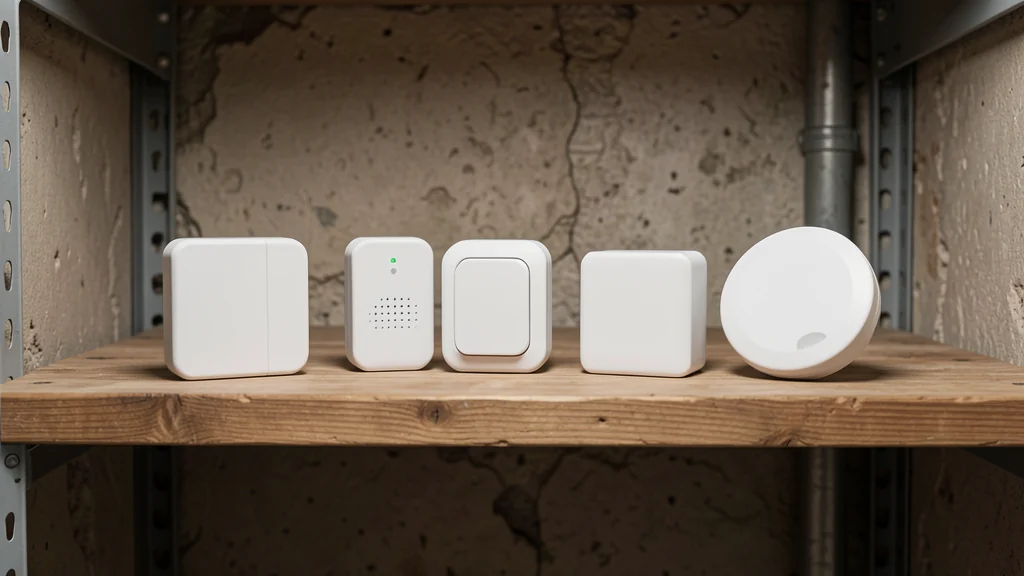
Match the sensor to a narrow condition
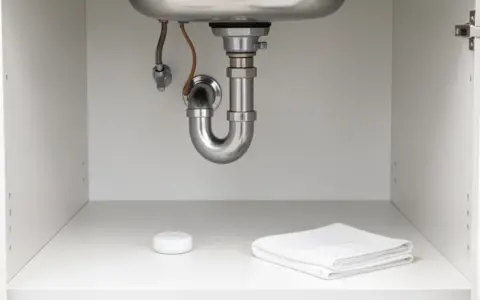
Point moisture sensors detect liquid only where water reaches their contacts. Rope or cable-style sensors can cover a line, but their placement and supported environment vary. Neither observes concealed pipes, roof assemblies, every edge of an appliance, or moisture that travels away from the sensing surface. Follow the manual’s orientation and cleaning instructions, and keep the sensor from blocking drains or service access.
Temperature and humidity sensors describe conditions near the device, not every part of a room, appliance, wall cavity, attic, or crawl space. Air movement, sunlight, vents, exterior walls, doors, and heat-producing equipment may bias a reading. Put the sensor where its measurement connects to the maintenance question, then compare it with a separate reference when the decision is important. Consumer readings should not be used as medical measurements or as universal proof of mold, air quality, food safety, or equipment performance.
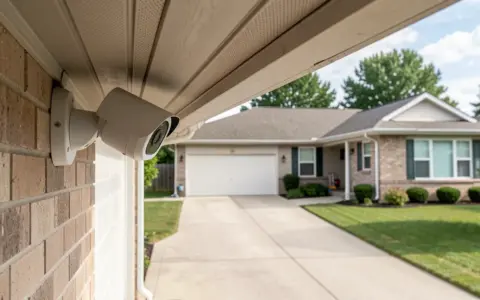
Contact, tilt, and vibration sensors can report movement or state changes, but attachment, alignment, vibration sources, and missed wireless events affect results. They may help track whether a cabinet, utility door, garage door, or access panel appears open, yet the displayed state must be verified physically before anyone assumes the opening is secure. Do not attach anything that interferes with latches, seals, fire-rated assemblies, warranties, or required operation.
Use a decision table before buying
| Maintenance question | Possible sensor signal | Required follow-up |
|---|---|---|
| Did water reach a vulnerable floor area? | Moisture detected at the probe or sensing cable | Inspect safely, limit damage if possible, and find the source with appropriate help |
| Is a freezer becoming warmer than its normal pattern? | Temperature remains beyond a chosen threshold | Verify with another reading, check power and closure, then follow appliance and food guidance |
| Is a damp area staying outside its usual range? | Repeated relative-humidity trend near the device | Inspect for sources, drainage, ventilation, or equipment issues; seek professional assessment as needed |
| Was a utility access left open? | Contact sensor reports an open state | Confirm at the location and correct the cause without defeating required ventilation or access |
| Did equipment show an unusual vibration pattern? | Motion or vibration differs from an established baseline | Stop or isolate only as the manual safely permits and arrange qualified inspection |
Place devices where signals can mean something
Good placement balances early detection, safe access, reliable communication, and easy maintenance. Near a sink or appliance, look for the route water would likely take first while preserving clearance around hoses, valves, drains, doors, filters, vents, and removable panels. For related organization, the principles in organizing under the kitchen sink safely help keep leak-prone connections visible rather than buried behind supplies.
Before using adhesive or fasteners, check the sensor manual, appliance instructions, lease, and surface requirements. Avoid drilling near concealed utilities, penetrating weather barriers, or mounting to equipment without permission. Wireless range claims are estimates under particular test conditions, not guarantees inside every home. Metal, masonry, distance, interference, and closed equipment enclosures can weaken a connection. Test at the final location with doors and panels in their normal positions.
Label each sensor physically and in the app with a precise location, such as “laundry washer supply side,” rather than “sensor 4.” Record installation date, battery type, threshold, hub or network dependency, and the last successful test. Clear naming shortens the response when several alerts arrive during a storm or outage.
Build an alert path, not just a dashboard
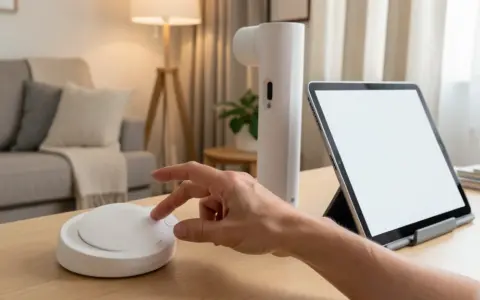
Test every stage: the sensing event, audible alarm if included, local hub, network path, app notification, email or text integration, and the backup person’s access. A green setup screen confirms configuration at that moment; it does not prove a future alert will arrive. Phone focus modes, revoked permissions, dead batteries, changed passwords, router replacements, service outages, and expired subscriptions can interrupt delivery.
Assign urgency based on consequence. Active water deserves a different sound and response than a gradual humidity trend. Avoid routing every small fluctuation as an emergency, because repeated low-value alerts teach people to ignore the system. At the same time, do not suppress an alert simply because it fired before. Investigate recurring alarms, false positives, and silence during a test. They may indicate poor placement, contamination, a depleted battery, an unsuitable threshold, or a device that does not fit the job.
Write a response card for each urgent sensor. It should name the area, immediate hazards to avoid, the safest way to inspect, whom to contact, and what not to do. Household members should know where utility shutoffs are only if they can reach and operate them safely. Never step into standing water near electrical equipment, touch damaged wiring, enter a dangerous space, or dismantle an appliance to chase an alert. Contact emergency services or an appropriate professional when conditions warrant.
Set thresholds from an observed baseline
Default thresholds may be a starting point, but homes, seasons, equipment, and goals differ. Observe a normal period before fine-tuning nonurgent temperature, humidity, vibration, or open-duration alerts. Note cooking, showers, weather, defrost cycles, deliveries, and normal equipment starts. This context helps distinguish a repeatable pattern from a single unexplained number.
Do not invent a universal “safe” value from one consumer dashboard. Use limits from the appliance or sensor manufacturer, the relevant authority, or a qualified professional for the actual situation. When protecting stored food, medication, plumbing, animals, plants, or sensitive materials, follow the specific handling guidance that applies. Confirm important measurements with an appropriate independent instrument before making a costly or risky decision.
Change one threshold at a time and document why. If widening a range reduces nuisance alerts but could also hide the event the sensor was installed to detect, improve placement or choose a better tool instead. An unreadable system is not fixed by making it quieter.
Keep visual inspection and preventive work on schedule
Sensor silence means only that no configured event was successfully reported. Continue looking for stains, corrosion, loose connections, damaged cords, blocked drains, deteriorated hoses, unusual sounds, odors, condensation, pests, and changes in equipment operation. The EPA’s Fix a Leak Week guidance offers practical context for finding and addressing household leaks; a moisture alert is one layer within that broader work.
Create daily, monthly, seasonal, and manufacturer-specified checks rather than one generic interval. Frequently viewed app status may be checked casually, while physical tests and cleaning need scheduled ownership. Seasonal transitions are a useful review point; a broader plan to prepare the home for seasonal changes can include sensor batteries, placement, thresholds, and emergency contacts.
Keep service records with dates, observations, repairs, model information, and professional recommendations. Data trends can help explain when a condition occurred, but they do not establish causation. Give a technician concise, relevant records and access to the actual equipment rather than insisting that the graph has already diagnosed the problem.
Maintain the sensors themselves
Inspect housings, probes, cables, mounts, batteries, and power supplies according to the manual. Dust, residue, corrosion, paint, pests, cleaning chemicals, and moved furniture can alter performance. Use only approved cleaning methods; immersing or spraying an unsuitable device may damage it. Replace batteries with the specified type and dispose of them under local rules. Keep button cells and loose batteries away from children and pets.
Check for firmware and app updates, but read vendor instructions before resetting or removing a device. A reset may erase thresholds, names, histories, or shared access. After any update, router change, power interruption, battery replacement, or moved sensor, run a documented functional test. Also check the Consumer Product Safety Commission’s recall database for household products as appropriate; an automation rule does not correct a recalled or damaged component.
Know the expected service life and end-of-life behavior when the manufacturer provides them. Replace equipment that fails a test, shows damage, cannot be cleaned, loses support, or no longer communicates reliably. Do not keep an unreliable sensor merely because its historical chart looks useful.
Secure connected sensors without overbuilding
A connected sensor may expose room names, occupancy patterns, temperatures, access states, and alert history. Collect only what supports the maintenance task. Disable unneeded microphones, location permissions, integrations, and long retention when those controls exist. Give household members and contractors only necessary access, then remove it when the work ends.
Protect each account with a unique password and multifactor authentication when available. Apply vendor updates and secure the router using the FTC’s guidance on home Wi-Fi network security. Network separation for connected devices can be useful when supported and maintainable, but no single design is right for every router or household. Follow equipment documentation and avoid configurations you cannot test or recover.
Pilot one maintenance loop
- Select one well-understood risk with a safe, specific response.
- Read the device and equipment manuals, and confirm installation does not require a licensed or qualified professional.
- Place and label the sensor, secure the account, and record dependencies and backup contacts.
- Trigger a safe test, confirm delivery to two responsible people, and practice the response card.
- Observe normal readings for two weeks while continuing physical inspections.
- Review false alarms, missed tests, response time, cleaning, and battery status before adding another sensor.
Keep a basic physical kit for inspection tasks that household members can perform safely. This guide to building a basic home toolkit can help organize ordinary items, but it does not authorize electrical, plumbing, HVAC, structural, or appliance repairs beyond a person’s training.
Frequently asked questions
Where should I install my first smart home sensor?
Choose a known, accessible risk where one signal would change what someone does, such as a moisture sensor beside a leak-prone appliance. Follow the manual and test the exact final location before depending on alerts.
Can smart sensors prevent home damage?
They may provide earlier notice of some conditions at their sensing points, which can support a faster response. They cannot guarantee prevention, detect every failure, or replace repair, maintenance, inspection, and appropriate professional work.
How often should sensors be tested?
Use each manufacturer’s test interval and add a test after changes such as moving the device, replacing a battery or router, updating software, or modifying alert permissions. Schedule the task so a named person completes and records it.
What should I do after a false alarm?
Inspect the location before dismissing it. Record the conditions, clean and test as directed, and review placement and thresholds. Recurring unexplained alarms may require vendor support, replacement, or professional investigation of the area.
Do all sensors need internet access?
No. Designs vary: some alarm locally, some use a local hub, and others depend heavily on cloud service. Verify actual offline behavior in the documentation and through a safe outage test; do not assume the same behavior across devices.
Use alerts to support maintenance decisions
A useful sensor closes a simple loop: notice one condition, reach the right person, inspect safely, act within the household’s abilities, and document the outcome. Start small, preserve direct checks, maintain the device, and involve qualified professionals when the problem exceeds a routine response. The system succeeds not because it generates more data, but because a trustworthy signal leads to careful action.