

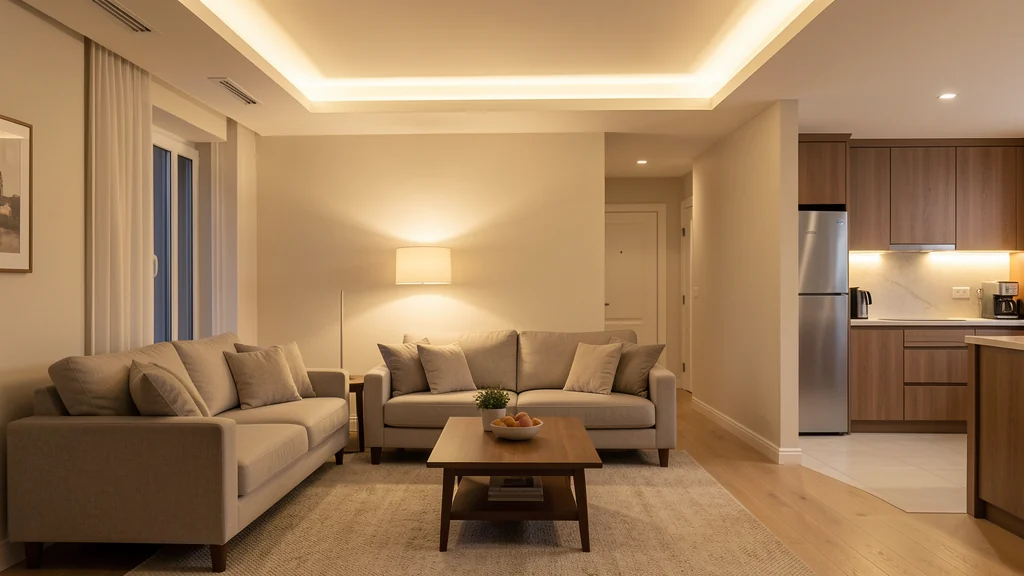
A useful smart lighting setup makes the right light easier to reach at the right moment. It does not require every bulb, switch, and fixture to join one elaborate system. The strongest results usually come from improving a few repeated actions: turning on a path light before entering a dark room, lowering living-room light at the end of the evening, or making a hard-to-reach lamp controllable without rearranging furniture.
Start with how a room is used, not with a product catalog. Light for cooking, reading, dressing, cleaning, relaxing, and nighttime navigation serves different purposes. Smart controls can help move between those purposes, but they cannot repair unsafe wiring, create good fixture placement, or make one glaring ceiling light comfortable. Follow fixture, lamp, bulb, switch, hub, and router instructions, plus lease terms and local electrical requirements. Any hardwired work should be handled by a qualified person as required; this guide concentrates on planning and configuring everyday controls.
Map the light people need before adding controls
Visit each room at the times it is normally used and notice what people are trying to see. General light supports movement and orientation. Task light illuminates a counter, desk, mirror, or chair. Accent or ambient light changes contrast and atmosphere. Many disappointing “smart” setups are really lighting-layout problems: a bulb can dim on command, but it cannot move light from behind a person’s head to the page in front of them.
Write down one friction point per room. Perhaps the bedside lamp switch is difficult to reach, the entry is dark when someone arrives, or several living-room lamps must be switched individually. Then ask whether a connected control is the simplest answer. Moving a lamp, changing a shade, using a fixture with an accessible switch, or following a room-by-room lighting plan may solve the problem without an app.
Choose one pilot room with stable routines and low consequences if the automation fails. A living room or bedroom lamp is often easier to learn from than stairs, an exterior entrance, a workshop, or a space where reliable illumination is critical. Keep emergency and life-safety lighting independent of experimental routines. The first goal is to understand control behavior, not to maximize the connected-device count.
Choose the least complicated control architecture
Smart bulbs, smart plugs, connected switches, and hubs solve different problems. A bulb can often change brightness or color appearance, but it generally needs continuous power to remain reachable. A smart plug can control a compatible lamp as one load, but it does not add dimming unless the complete combination explicitly supports it. A connected wall switch may preserve a familiar interaction, yet it introduces wiring and compatibility questions that are not appropriate for casual installation.
Before buying anything, check the fixture base, enclosure, dimmer compatibility, electrical ratings, wireless protocol, app requirements, hub requirements, and support for the phone platforms in the household. Read the full manufacturer documentation rather than relying on a short retail compatibility list. For hardwired controls, neutral conductors, multiway circuits, grounding, box capacity, and local rules can matter. Do not remove a switch or open an electrical box merely to investigate if you are not qualified and authorized to do so.
Improve the underlying light at the same time
Connectivity cannot compensate for an unsuitable bulb. Match the replacement to the fixture’s allowed base, shape, wattage or electrical limits, enclosure rating, location rating, and dimmer requirements. Brightness is described in lumens, while the familiar watt value describes power use rather than the amount of light. Color appearance and color rendering also influence comfort and task visibility, so compare the room in actual use instead of treating one specification as universally ideal.
Bulb-selection guidance can be a useful starting point for understanding efficiency and selection considerations. Still, the fixture label and product instructions control the specific installation. Do not put a bulb in an enclosed or damp location unless it is rated for that environment, and do not exceed the fixture’s limits.
Reduce glare before adding complex color scenes. Keep bare bright sources out of direct sight where possible, use shades or diffusers designed for the fixture, and place task light so hands do not cast a shadow over the work. A scene with five color values will not fix an uncomfortable viewing angle. Establish useful light first; use smart control to make that light convenient.
Name rooms, devices, and scenes in plain language
Consistent naming prevents mistaken commands. Use a room plus a recognizable object: “living room floor lamp,” “office desk lamp,” or “bedroom left lamp.” Avoid numbering devices according to the order in which they were installed, because that order has no meaning to everyone else. If voice control will be used, say each name aloud and make sure similar words do not produce ambiguous results.
Group lights only when people routinely want them to change together. Two lamps that support evening conversation may form a sensible living-room group. A hall light and a bedroom lamp should not share a broad “upstairs” command if one person may be sleeping. Groups should reflect an action, not merely a floor plan. Document who can edit them so accidental rearrangement does not make commands unpredictable.
Start with three kinds of control
Most homes need fewer automations than a setup screen suggests. Begin with manual control, one scene, and perhaps one schedule. Manual control handles exceptions. A scene changes several compatible lights to a known state for an activity. A schedule supports a highly predictable transition. Add occupancy or daylight sensing only when a repeated problem remains after those basics are working.
| Need | Simple control | Important fallback |
|---|---|---|
| Ordinary entry and exit | Familiar wall or lamp control | Usable without a phone or spoken command |
| Reading or focused work | One room-specific scene | Direct adjustment at the lamp or switch |
| Predictable evening transition | Conservative schedule | Easy skip, off, or temporary pause |
| Short nighttime passage | Low-level manual or sensor control | Reliable full light when urgently needed |
Build scenes around activities, not novelty
A scene should answer a recognizable household request. For reading, it may bring up one task lamp and keep a nearby background lamp at a comfortable level. For watching television, it might reduce direct glare without making the walking path completely dark. For cleanup, it can provide broader, brighter illumination temporarily. Limit the first version to a few lights and one purpose.
Adjust scenes in the room with the people who use them. Eyes, tasks, and preferences differ, and needs may change with age, vision, fatigue, or time of day. Never present a preset as medically appropriate or universally safe. If a household member has low vision, light sensitivity, migraines, seizure concerns, or another health-related need, prioritize that person’s experience and seek relevant professional guidance rather than experimenting with rapid effects or extreme contrasts.
Use schedules and sensors conservatively
A schedule is best for a routine that remains predictable across most days. Set a narrow rule, such as turning on one occupied-room lamp near the usual arrival period, and evaluate it for a week. Include an off time but do not let the automation unexpectedly leave someone in darkness. People must be able to override the rule directly, and the system should not immediately reverse their manual choice.
Occupancy sensors can reduce unnecessary runtime, yet placement and timeout determine whether they are helpful. A sensor may miss someone reading quietly, detect movement through a doorway, or react to pets. Begin in a noncritical room, use a generous timeout, and collect no more data than the purpose requires. Do not place a sensor where it creates an unreasonable privacy concern. If a simple button works, it may be the better control.
Keep wall controls understandable
Smart bulbs often become unreachable when a traditional wall switch cuts their power. Telling everyone “never touch this switch” is usually a sign that the design needs work. Look for a manufacturer-supported control method that preserves familiar behavior, relocate the smart function to a lamp where appropriate, or leave that circuit conventional. Do not tape over or defeat a required control, and do not install guards or covers that violate product instructions, accessibility needs, lease terms, or local rules.
Place app shortcuts and remotes where the corresponding action happens. A bedside control belongs within safe reach from bed; an entry control should not create clutter or a snagging hazard. Borrow the logic of a functional household drop zone: one consistent location works better than several controls that migrate around the home.
Show every resident how to turn lights on and off without an account administrator present. Guests should not need to download an app. If a caregiver or service worker needs temporary access, provide the minimum practical control and remove digital access afterward. A lighting system is infrastructure for the household, not a private puzzle owned by its installer.
Secure accounts, devices, and the network
Use a unique password for the lighting account and enable multifactor authentication when it is offered. Share access through official household features rather than reusing one login. Keep apps, bulbs, switches, hubs, phones, and routers updated, and enable automatic security updates where suitable. Remove old phones, former residents, unused integrations, and retired devices from the account.
Review permissions requested by lighting apps. Precise location may support sunrise and sunset timing, and microphone access may support voice functions, but optional features should not receive access by default. Decide whether remote control outside the home is necessary. If it is not, disable it when the product provides that option. Review cloud histories, occupancy information, and data-sharing settings rather than assuming light-related data is insignificant.
The Federal Trade Commission’s advice for securing a home Wi-Fi network includes changing default administrator credentials, using current encryption, and updating router software. A separate guest or smart-device network can reduce unnecessary reach to personal devices when the router and lighting products support that arrangement. Test functionality after separation and follow documentation because discovery and local control may work differently across network segments.
Troubleshoot in a calm sequence
When a light stops responding, begin with ordinary causes. Confirm that the fixture has power, its switch is in the expected position, the bulb is seated as its instructions direct, and a physical control works. Check whether one device, one room, or the whole system is affected. Then verify the phone’s connection, app service status, hub power, and router operation. This scope-first approach avoids resetting every device for a single switched-off lamp.
If a scene behaves incorrectly, inspect its member list, brightness values, schedule, time zone, and any conditions. Another household member may have renamed or moved a device. If one bulb flickers, disconnect it as directed and check compatibility and fixture condition; do not assume a software update can solve an electrical symptom. Unusual heat, buzzing, odor, discoloration, arcing, or repeated breaker operation calls for stopping use and obtaining qualified assistance.
Factory-reset only after reading the official process and recording useful settings. Repeatedly removing power to force pairing can create confusion and may conflict with the instructions. If a product is no longer supported with necessary updates or cannot provide a dependable manual fallback, replace or simplify that part of the system rather than layering on more automation.
Review the system when rooms or routines change
Every few months, review active scenes, schedules, household access, integrations, and firmware status. Remove duplicate rooms and temporary vacation routines. Check that names still match physical locations after furniture or occupants move. Clean bulbs and fixtures only when cool and only as their instructions permit; accumulated dust can change perceived brightness, but moisture and cleaning products may damage electrical components.
Frequently asked questions
Do all smart lights need a hub?
No. Some connect directly to Wi-Fi or another controller, while others require a compatible hub or bridge. A hub can coordinate a supported ecosystem, but it adds another component. Confirm requirements, phone support, protocol compatibility, and internet dependence in the current product documentation before purchasing.
Can I put a smart bulb on a regular dimmer?
Only if the bulb and dimmer manufacturers explicitly describe the combination as compatible. Many smart bulbs expect steady power and perform dimming electronically through their controls. An incompatible wall dimmer may cause flicker, poor operation, or damage. Leave uncertain wiring and control changes to a qualified professional.
What happens to smart lighting during an internet outage?
Behavior varies. Physical switches may work, and some hubs, schedules, or local controls may continue operating, while cloud commands and remote access fail. Test the actual system safely, preserve familiar manual controls, and do not make critical illumination depend entirely on an internet service.
Should smart lights turn on automatically after a power outage?
The safest or most comfortable recovery state depends on the room and household. Review available power-recovery settings and test the result. An unexpected full-brightness return in a bedroom can be disruptive, while a dark entry may also be undesirable. Prefer a conservative, documented choice.
How many scenes should a room have?
Start with one or two scenes tied to frequent activities. Add another only when people can describe the missing need. Too many similar scenes increase decision time and maintenance. Manual adjustment remains useful for exceptions, visitors, and tasks that do not deserve a permanent preset.