
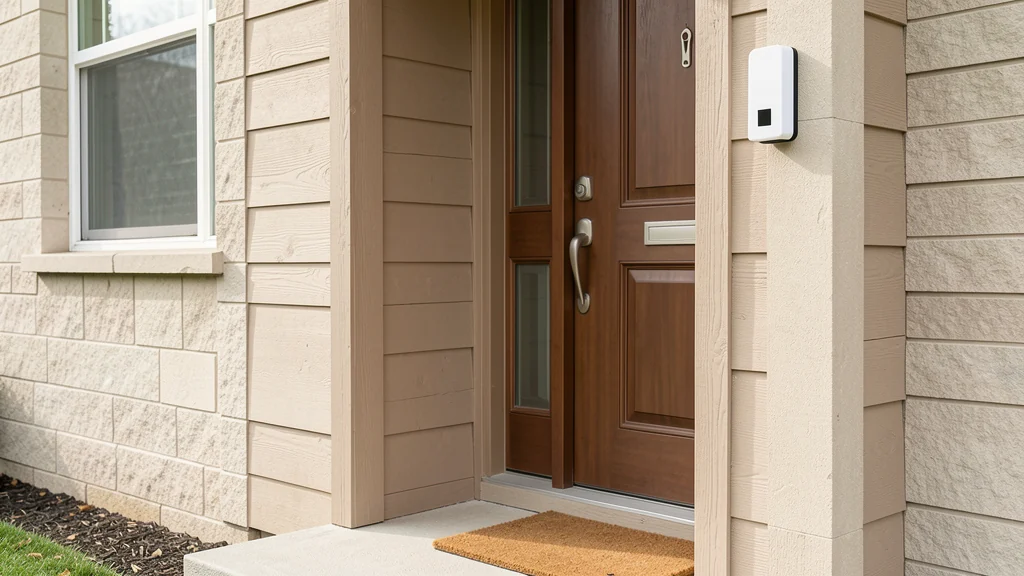
A video doorbell watches a small piece of space that may also belong to neighbors, visitors, delivery workers, tenants, or anyone passing the home. That makes the setup a household privacy decision, not only a front-door upgrade. The useful goal is to see and communicate at the entrance while collecting no more sound, video, account data, or shared access than the household actually needs.
Features differ widely: some devices record continuously, some begin after motion, some store clips locally or in a provider’s cloud, and some connect to locks, speakers, or monitoring services. Subscription terms and app controls can change. Review the current manual, privacy notice, retention options, and support policy for the exact model before installation. Also check leases, homeowners’ association rules, building policies, and applicable laws. This guide offers a careful planning process, not legal advice or a guarantee of privacy or security.
Define the job before choosing features
Write down what the household wants the doorbell to do. The answer might be notifying someone when a visitor presses the button, allowing a two-way conversation, documenting package delivery, or supporting a resident who cannot easily reach the door. Separate those needs from features that are merely available. Facial recognition, broad motion tracking, long cloud retention, neighborhood sharing, and integrations do not become necessary because they appear in an app.
Then identify who will use it. An owner, renter, child, caregiver, roommate, or property manager may need different access. Decide who can answer live calls, see saved clips, download files, change settings, invite users, or connect other services. One administrator and a few limited household roles are easier to review than a shared password. If the device cannot provide suitable roles, that limitation belongs in the purchase decision.
Survey the doorway and everyone it affects
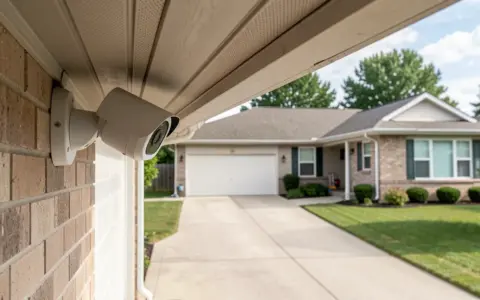
Stand where the camera would sit and look across its likely field of view. Mark the door, walkway, street, neighboring entrances, apartment corridor, windows, and any interior space visible when your door opens. Consider the camera’s vertical angle as well as its side-to-side view. A wide lens can capture more than expected, and a door that swings open may expose a living area. The product’s preview function can help, but test it at day and night before finalizing the mount.
In a detached home, the entrance may face a public sidewalk or a neighbor’s property. In a multifamily building, the same camera may watch a shared hall and another resident’s door. Rules and expectations differ by location. Ask the landlord or building manager for written installation requirements and determine whether consent or notice is needed under applicable law. Do not assume that owning or renting the doorway gives unlimited authority to record every adjacent space or conversation.
Minimize the field of view
Use the narrowest angle and placement that accomplishes the entrance task. A wedge or approved mounting accessory may turn the device away from a neighboring window. Some apps offer privacy masks that obscure selected areas, but confirm whether masking applies to live view, saved recordings, notifications, and downloaded clips. Digital masking should supplement careful physical aiming, not justify an unnecessarily broad view.
Keep the camera outside private indoor sight lines where possible. If opening the door exposes a bathroom, bedroom, work screen, or family living area, alter the angle or doorway arrangement. A practical home drop zone for keys, mail, and bags can be placed away from the camera’s view so labels, addresses, school information, and household routines are not routinely captured each time the door opens.
Match each privacy control to a clear purpose
| Control | Privacy question | Practical starting point |
|---|---|---|
| Motion zone and sensitivity | Does it capture passersby or neighboring doors? | Limit the zone to the approach and reduce nuisance triggers through testing |
| Audio recording | Is sound needed, and what rules apply locally? | Disable it unless there is a defined, lawful household need |
| Clip retention | How long are ordinary visits stored? | Choose the shortest period that serves the stated purpose |
| Recognition features | Does identification add meaningful value? | Leave optional recognition off unless the household has evaluated it |
| Sharing and integrations | Who else can receive footage or events? | Connect only necessary accounts and review them regularly |
Defaults are designed for many households, not your doorway. Walk through the motion zone from several directions and at different times. Ask another household member to observe which events produce clips and notifications. Reduce detection of streets, sidewalks, trees, ceiling fans, reflective surfaces, or neighboring activity when the controls allow. Too many alerts can encourage people to ignore the useful ones, while a zone that is too narrow may miss the entrance task.
Make an explicit decision about audio
Audio can capture conversations beyond the person pressing the button. Laws governing audio recording and consent vary, and a device setting cannot determine whether a use is lawful. Decide whether two-way talk can operate without retaining ambient audio, and consult authoritative local guidance or a qualified attorney when the rules are unclear. Disabling recorded audio can reduce collection, but it does not resolve every privacy question about video or live communication.
Household members should know when live view or two-way talk may be used. Avoid using the device to listen to people who have not approached the door. If a resident needs the feature for accessibility or safety planning, document the narrow purpose and configure it accordingly rather than enabling broader surveillance. Provide another way for a visitor to get attention if they cannot or do not want to interact with the camera.
Limit storage and downstream sharing
Learn where clips are processed and stored, whether the plan requires a subscription, who controls encryption keys if relevant, and what happens when the subscription or account ends. Check whether deleting a clip removes copies from all household views and how long provider backups may persist under the current policy. Local storage can reduce one type of cloud exposure, but the recorder, memory card, and home network still need physical and account protection. No storage method is risk-free.
Set a short retention period that supports the defined job, then delete routine clips that no longer have a purpose. Downloading and forwarding create additional copies outside the original controls. Share a clip only for a specific reason and through an appropriate channel; avoid posting ordinary visitors or neighbors publicly. Review any neighborhood, police, insurer, monitoring, or home-automation connection separately. A convenient integration may expand who can access events and how long data remains available.
Secure the account and device
Create a unique password for the owner account and store it in a password manager. Turn on multifactor authentication when offered, preferably using a method the household can recover securely. Give each authorized person an individual account when the platform supports it, and reserve administrator access for people who must change settings. Remove former residents, contractors, and unused shared users promptly. Never publish setup codes, serial numbers, recovery codes, or screenshots that reveal account details.
Install device, app, and phone updates from supported sources, and check how long the vendor expects to provide security updates. Enable automatic updates if the household can monitor them and the documentation recommends it. Review login alerts, active sessions, and connected services. The Federal Trade Commission’s guidance for securing home cameras gives useful institutional context for account and network precautions, but it cannot guarantee a particular device will resist every attack.
Protect the home network with a unique administrative password, current router firmware, and a strong supported Wi-Fi security setting. Consider a separate network for connected devices when practical and properly supported. Do not weaken the main network or expose remote administration to make the doorbell easier to connect. If setup fails, use the vendor’s documented compatibility steps instead of disabling protections broadly.
Plan installation without creating physical problems
Battery models still require approved charging practices and periodic inspection. Wired models may interact with low-voltage doorbell equipment, transformers, chimes, or building wiring. Confirm compatibility in the manual and turn to a qualified electrician or installer when voltage, wiring condition, transformer rating, or local requirements are uncertain. Do not work on energized wiring or enlarge openings without checking for hidden utilities and building restrictions.
Mount the device securely at a height and angle that serve visitors with varied mobility and reach. Keep the path clear, protect cables from pinching, and follow weather-exposure limits. Seasonal sun, precipitation, and temperature can affect performance or the view, so include the doorbell when you prepare the home for seasonal changes. Do not cover required ventilation or use an enclosure the manufacturer has not approved.
Set household rules for live view and clips
Agree on a few plain-language rules: use live view to respond to an entrance event, do not monitor neighbors, do not save routine clips indefinitely, and do not share footage for entertainment. Children and teens should have access only when developmentally appropriate and necessary. Caregivers, cleaners, dog walkers, and frequent guests should understand the device without being asked to navigate a lengthy policy at the door.
Consider a small, lawful notice if local rules or household circumstances call for one, but do not treat a sign as blanket consent. Notice does not replace careful aiming, restricted access, minimal retention, or compliance with recording law. Make sure a visitor can knock, call, message, or use another accessible method. A camera should not become the only path to help, delivery instructions, or entry.
Review the system as circumstances change
Perform a scheduled review every few months and after an app redesign, subscription change, household move, new roommate, changed entrance, or security alert. Check the camera view, motion zone, audio setting, retention period, users, sessions, connected apps, update status, and recovery method. Read important policy notices rather than approving them automatically. Record the review date without writing passwords into the checklist.
Test failure modes too. What happens if Wi-Fi is down, the battery is empty, the cloud service is unavailable, or the account owner loses a phone? Confirm whether the ordinary doorbell chime, knock, key, intercom, or accessible entry process still works. Keep vendor support information and installation records somewhere the household can reach without the app. Resilience is part of privacy because rushed recovery often leads people to overshare credentials or disable protections.
Frequently asked questions
Is it legal to record everyone who approaches my door?
Recording and consent rules vary by jurisdiction, especially for audio and shared spaces. Ownership of a device does not settle those questions. Check applicable law, lease and building rules, and obtain qualified legal guidance when the answer is unclear.
Should I leave audio recording on?
Only after identifying a real need and checking the rules that apply. Audio may collect conversations outside the entrance interaction. If two-way communication works without retaining ambient sound, that may be a more limited configuration.
How long should clips be kept?
There is no universal period. Choose the shortest retention that supports the household’s stated purpose and any legitimate obligation. Delete routine footage when it no longer serves that purpose, recognizing that provider backup practices may differ.
Does local storage make a doorbell private?
No. Local storage may reduce dependence on cloud retention, but accounts, apps, networks, physical media, live view, and shared downloads still create exposure. Evaluate the whole data path and keep only the features the household needs.
Can several household members share one login?
Individual accounts with appropriate roles are preferable when supported because access can be reviewed and revoked. If the system only offers a shared credential, consider whether that limitation fits the household before relying on the device.
A privacy-conscious video doorbell is intentionally narrow: it watches the entrance area, not the neighborhood; retains useful events, not a permanent archive; and gives access to the people who need it, not everyone with the password. Revisit those choices as the doorway, household, law, and service change. Careful limits cannot eliminate all risk, but they can prevent convenience from quietly turning into unnecessary surveillance.