

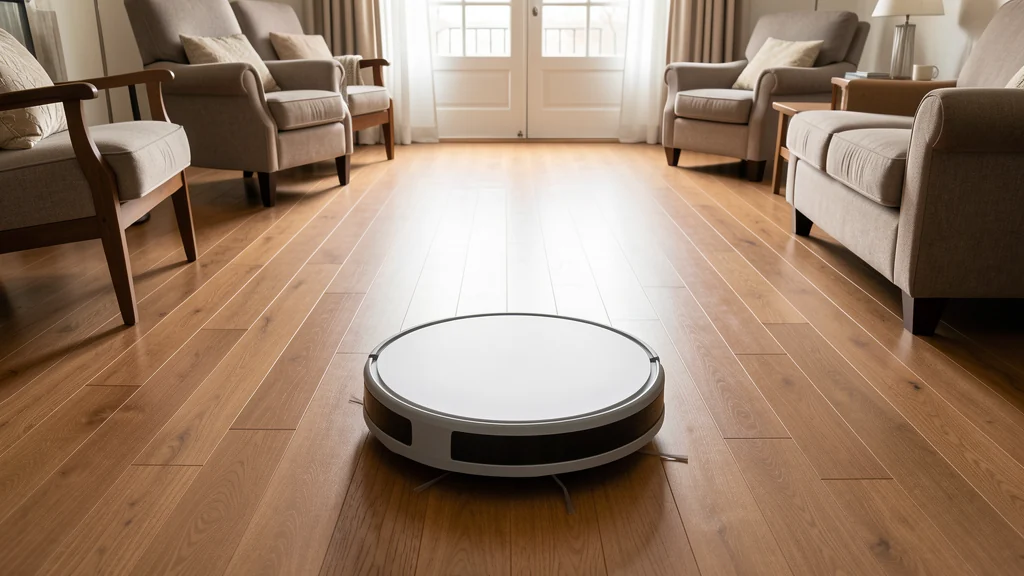
A robot vacuum works best when the home is prepared for repeatable, limited cleaning runs. It cannot decide whether a loose charging cable is important, whether a pet bowl may spill, or whether a small object belongs on the floor. Its map and sensors are useful aids, but the household still has to define where it may travel, remove hazards, maintain the machine, and inspect the result.
A practical robot vacuum setup begins with the model’s manual. Instructions differ for dock clearance, stairs, rugs, thresholds, batteries, wet-cleaning attachments, mapping, and restricted zones. Follow those instructions even when an app suggests a different shortcut. Do not treat obstacle detection, cliff sensors, cameras, or software boundaries as guarantees. Supervise initial runs, keep people and animals out of its path when practical, and stop using a damaged or unpredictable machine until the manufacturer or a qualified service provider advises you.
Start with the rooms, not the feature list
Choose one or two rooms where automated floor pickup would remove real work. An open kitchen and living area may be a better starting point than an entire multilevel home. Note the surface types, transitions, furniture clearances, stairs, floor vents, fireplace edges, pet areas, and places where cords collect. This walk-through turns a vague goal such as “clean everywhere” into a manageable route.
Decide what the machine should collect. Dry crumbs, dust, and ordinary hair are typical targets when the manual permits them. Liquids, construction debris, ash, sharp fragments, sticky food, and unknown spills generally require a different response; follow the manual and clean those conditions before a run. A combination vacuum-and-mop has additional rules for tanks, cleaning solutions, carpets, and floor finishes. Use only approved liquids or pads, and check the flooring manufacturer’s care guidance.
Create a repeatable floor reset
The best preparation is a short reset that anyone can recognize. Pick up charging cables, shoelaces, elastic bands, lightweight toys, paper, clothing, and small hardware. Tuck curtain cords and blind cords completely out of reach according to their product guidance. Move unstable décor, fragile items, and anything that could fall when bumped. Check under furniture, because the vacuum will find objects that are invisible from standing height.
Give frequently dropped belongings a landing place before expecting perfect compliance. A nearby basket, hook, or tray makes the reset faster. The same principle used to create a home drop zone for keys, mail, and bags can work on a smaller scale for toys, slippers, and device cables near the cleaning area. The goal is not a showroom floor. It is a route with fewer surprises.
Laundry deserves specific attention. Socks, drawstrings, dryer sheets, and light fabric can wrap around moving parts or block an intake. If clothing regularly lands on the floor, improve that routine rather than repeatedly rescuing the vacuum. A simple hamper placement or the habits in a laundry system that prevents pileups can make scheduled cleaning more realistic.
Control hazards with more than software
Inspect stairs, drop-offs, balconies, open floor registers, raised hearths, floor-level heaters, and irregular transitions before every new area is added. Use the barriers, boundary accessories, and operating conditions specified by the manufacturer. For a drop or another consequential hazard, a closed door or secure physical barrier is more dependable than assuming a saved no-go zone or cliff sensor will always work. Never place a temporary object where it creates a trip hazard or can be pushed aside.
Keep the vacuum away from pet waste, water bowls, feeding areas during use, and any room where an animal may have an accident. Object recognition does not promise detection. Check the route immediately before a scheduled run, especially when pets, young children, visitors, or changed routines make the floor less predictable. Do not schedule unattended operation in conditions the manual prohibits. If a child or pet is frightened, attracted to the machine, or likely to interfere with it, operate it only with active adult supervision or when the area is securely separated.
Fireplace residue, craft materials, medicines, pest-control products, plant soil, and broken glass require manual cleanup appropriate to the material. Do not let the vacuum spread an unknown substance through brushes, exhaust, or a mop pad. If the material may be hazardous, isolate the area and follow its label or appropriate official guidance rather than experimenting with the robot.
Place the dock for reliable returns
Use the dock only on a surface and electrical connection allowed by its manual. It usually needs a straight, uncluttered approach and specified clearance around it, but the exact dimensions are model-specific. Keep it away from water, heat sources, loose fabrics, and places where the power cord crosses a walkway. Do not use an extension cord, adapter, power strip, or third-party charger unless the manufacturer explicitly permits it.
Anchor or position the dock as instructed so ordinary contact does not shift it. A dock that moves can produce failed returns, inaccurate maps, or repeated searching. Avoid hiding it behind a door that may close or under furniture that blocks sensors or wireless communication. If the machine repeatedly fails to dock, clean the permitted sensors and contacts, restore a clear approach, and use the manual’s troubleshooting sequence before relocating everything.
Map the home in controlled stages
For the first mapping or cleaning run, open only the prepared rooms and stay nearby. Watch how the vacuum handles each rug edge, threshold, chair base, reflective surface, and narrow gap. Pause the run if it pushes an object, wedges itself, drags a cable, climbs somewhere inappropriate, or repeatedly strikes a delicate surface. Correct the environment before trying again; repeated collisions are information, not something to ignore.
Name rooms and draw boundaries only after the physical route works. App maps can become outdated when furniture moves, doors change position, the dock shifts, or software is reset. Review the map after meaningful changes and test revised zones while present. Avoid making a map more detailed than the routine needs. A few room divisions, keep-out areas, and a clear dock location are easier to inspect than dozens of fragile micro-zones.
| Observed problem | Check first | Practical response |
|---|---|---|
| Vacuum gets stuck in one place | Clearance, loose fabric, cords, threshold shape, and manual limits | Remove the obstruction or exclude the area; do not force the machine through. |
| Debris remains after a run | Bin, filter, brush, route coverage, and surface setting | Maintain approved parts, simplify the route, and use a second pass only if permitted. |
| Robot cannot find the dock | Dock power, clearance, moved furniture, dirty contacts, and map state | Restore the documented setup and follow the model’s docking troubleshooting steps. |
| Map or boundary is wrong | Dock movement, closed doors, recent layout changes, and app status | Correct or rebuild the map while supervising; use a physical barrier for serious hazards. |
| New noise, heat, odor, or damage appears | Stop operation and inspect only as the manual allows | Disconnect or isolate as instructed and contact the manufacturer or qualified service provider. |
Choose a schedule the home can support
Schedule runs for periods when floors are likely to be clear and someone can check the area first. A shorter run in prepared rooms is often more dependable than a whole-home run launched at a random time. Avoid quiet hours, sleeping areas, calls, meal preparation, and times when children or pets actively use the route. Consider apartment or building noise expectations as well.
Begin with manual starts. Once several supervised runs finish without surprises, add a limited schedule and keep the pre-run check. Do not assume yesterday’s successful route makes today’s floor suitable. A fallen cable or small spill changes the conditions. If household routines vary, a reminder to inspect and press Start may work better than automatic operation.
Maintain the parts that touch the floor
Empty the bin at the interval specified by the manufacturer and sooner when pickup falls. Remove hair and fibers from approved brush areas with the power state and tools the manual requires. Clean or replace filters, rollers, side brushes, mop pads, sensors, wheels, and charging contacts only according to documented procedures. Wash only parts identified as washable, let them dry for the stated time, and never rinse the main unit or a nonwashable filter.
Inspect the power cord, dock, battery area, wheels, and casing for damage, swelling, unusual heat, liquid intrusion, or odor. Stop using the system if any warning sign appears. Do not open, crush, puncture, modify, or substitute a battery. Use compatible parts and charging equipment specified by the manufacturer, and follow local requirements for battery disposal. The U.S. Consumer Product Safety Commission recall database can be checked for safety notices, but the product manual and manufacturer remain the sources for model-specific operation.
Maintenance is easier when tied to visible evidence. Empty the bin after a known number of runs, inspect the brush when hair begins collecting at its ends, and place replacement reminders where the household will see them. Record the exact filter or brush type without assuming similarly shaped parts are interchangeable. If cleaning performance changes suddenly, inspect before increasing suction or adding more runs.
Protect the account and household map
A connected vacuum may store a floor map, room names, schedules, device identifiers, and usage history. Some models include microphones or cameras. Review the privacy settings and account documentation, enable only needed features, and avoid room names that reveal sensitive personal details. Use a unique account password, enable multifactor authentication when available, install supported updates, and remove former household members or service providers from shared access.
Grant the app only permissions needed for the functions you use. Location, local network, Bluetooth, camera, microphone, photo, and contact access should not be accepted automatically. Check whether maps or images can be stored locally, in a cloud account, or shared for product improvement. Choose the minimum collection that meets the household’s needs, understanding that available controls vary. Before selling, donating, or recycling the vacuum, follow the manufacturer’s reset and account-removal instructions and verify that the device no longer appears in the account.
Evaluate the result instead of chasing perfection
After two weeks, ask whether the floor is easier to maintain, not whether every edge is spotless. Notice where debris remains, which preparation steps are repeatedly skipped, how often someone rescues the machine, and whether noise or privacy tradeoffs are acceptable. Move chairs or add boundaries only when the adjustment also works for people living in the room.
Keep manual tools for stairs, corners, upholstery, delicate rugs, wet messes, and anything the robot cannot appropriately handle. Automation can reduce routine dry pickup without replacing judgment or full cleaning. If the robot creates more setup and recovery work than it removes, narrow its area or operate it less often. A modest, repeatable route is a successful setup.
Frequently asked questions
Can a robot vacuum run while nobody is home?
Do so only if the model’s manual permits unattended or scheduled operation and the household can reliably prepare the area. Even then, sensors and saved boundaries cannot guarantee detection of pet waste, spills, cords, moved furniture, or drop-offs. Many homes are better served by supervised starts or runs behind a securely closed door.
Should the vacuum run every day?
Frequency depends on debris, surface type, household activity, noise, and maintenance. Start with fewer runs and inspect the bin, brush, and floor result. Increase frequency only when the route remains prepared and the additional run reduces useful work rather than adding interruptions.
Why does the robot miss part of a room?
A blocked route, low battery, dirty sensor, full bin, changed map, dark or reflective surface, rug transition, or software setting may be involved. Avoid guessing. Restore the documented setup and follow the model’s troubleshooting steps. Contact support if the behavior persists or indicates damage.
Is obstacle detection enough for cords, pet waste, and stairs?
No detection feature should be treated as a safety promise. Remove cords and waste, inspect stairs and drop-offs, and use secure physical separation for consequential hazards. Follow model-specific exclusions and supervise every newly prepared area.