


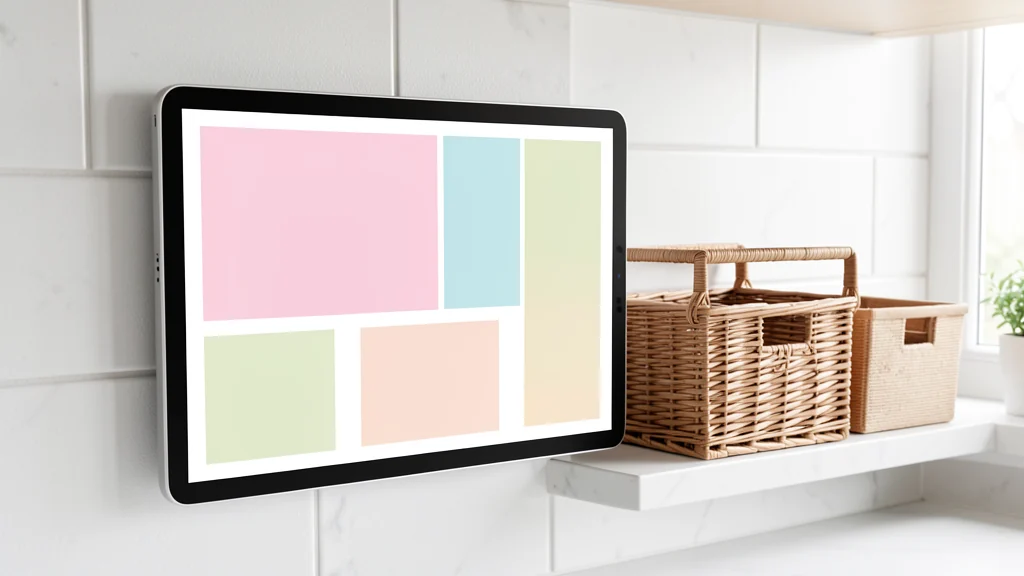
A digital family command center is a shared view of what the household needs to know and do. It can show appointments, school events, meal decisions, chores, pickups, household maintenance, and time-sensitive reminders without requiring one person to repeat every detail. The technology can be a shared calendar, task list, display, or combination of tools. Its value comes from clear ownership and consistent use, not from a large screen.
Begin with the smallest set of shared information that would reduce confusion. Keep private medical details, work information, passwords, legal documents, and sensitive messages in systems designed for those purposes. A command center should make coordination easier while revealing no more than household members need. It also needs a paper, verbal, or offline fallback so a dead battery, locked account, or internet problem does not erase the day’s plan.
Define the decisions the center should support
Ask where coordination currently fails. People may miss schedule changes, buy duplicate groceries, forget which adult handles a pickup, or assume someone else submitted a form. Write those friction points as decisions: Who is going where? What must happen today? Which supplies are running low? What changed since yesterday? A useful dashboard answers those questions quickly.
Do not begin by moving every household record into one application. A master document packed with insurance numbers, school records, account credentials, appliance receipts, and personal notes becomes hard to scan and risky to share. The command center should point to a secure record when needed, not duplicate all of its contents. “Water filter manual in household records” can be enough; the entire account history need not appear on a kitchen display.
Choose no more than five modules for the first version. A practical set is today’s schedule, next seven days, assigned tasks, meal outline, and a short inbox for new items. Households with care routines may prioritize medications or appointments, but those details require consent, appropriate access, and advice from the relevant care professional. The layout should reflect actual coordination needs rather than a generic family template.
Choose the simplest workable format
A shared calendar and task list may be sufficient. A wall-mounted tablet or household display can provide glanceable access, but it adds power, updates, privacy, mounting, and account-management work. Test the workflow on an existing phone, computer, or paper printout for two weeks before buying dedicated hardware. If nobody checks the test version, a bigger screen will not fix unclear ownership.
Make sure the format works for the people expected to use it. Consider vision, hearing, dexterity, reading level, language, cognitive load, and comfort with apps. High contrast, larger text, simple color use, spoken reminders, a printed summary, or a lower physical position may help, depending on the person. Avoid treating one accessibility feature as universally effective; ask the user and follow device accessibility documentation.
If you place a device near the entry, coordinate it with a practical home drop zone rather than letting bags block the view or cords cross the floor. The display should be visible without exposing private details to passersby, delivery workers, or an open doorway. Use a stable surface, follow mounting instructions, check lease or building rules, and get qualified help when wall conditions or wiring are uncertain.
Design a shared information structure
Use consistent names for people, places, and task states. “Dentist” is less useful than an entry with the person, start time, travel location, and owner of transportation. “Clean kitchen” can create disagreement; “load dishwasher and wipe cleared counters by 8 p.m.” defines a finish line. Specificity should reduce management, not become surveillance of every movement.
Separate fixed commitments from flexible work. Appointments, departures, and deadlines belong on the calendar. Tasks that can happen within a window belong on a list. Shopping requests belong in one capture place. Long-term ideas belong outside today’s dashboard. When every item looks urgent, the command center stops helping people decide what matters now.
Use color sparingly and never as the only signal. A person color may work in a calendar, but text should still identify the owner. Reserve alerts for events that require attention. If every routine chore sends multiple notifications, people learn to dismiss the system. Start with fewer reminders and add one only after identifying a real miss it could prevent.
| Module | Information shown | Boundary that keeps it useful |
|---|---|---|
| Today | Departures, appointments, and one critical change | Do not copy private notes into the public description. |
| Tasks | Action, owner, due window, and clear finish | Limit the view to current work rather than a permanent history. |
| Meals | Flexible meal outline and preparation owner | Keep medical or dietary details private unless sharing is necessary and agreed. |
| Household inbox | New requests that need sorting | Clear it during the weekly review; it is not permanent storage. |
| Fallback | Essential contacts and the next day’s critical plan | Store sensitive contact details appropriately and update the copy. |
Set accounts and permissions deliberately
Prefer individual accounts over one password shared among everyone. Individual access makes it easier to remove a former roommate, caregiver, or old device without disrupting the household. Give each account only the permissions required for its role. A child may need to view a schedule or complete assigned tasks without editing billing, administrator settings, or another person’s calendar.
Protect every account with a unique password and multifactor authentication when available, especially administrator and recovery accounts. Keep recovery details current and review signed-in devices. Do not place passwords, one-time codes, security answers, or account recovery instructions on the visible dashboard. A password manager or other approved secure method is the appropriate place for credentials.
Review what the command-center service collects, whether it uses advertising profiles, how long it keeps data, and which third parties receive integrations. Connect the minimum calendars and services needed. If a school, employer, clinic, or care provider has rules about data sharing, follow those rules instead of copying protected details into a consumer household tool.
Create an intake rule for new information
Every household needs one dependable way to capture changes. It might be a shared inbox, a quick-add list, or a paper tray that one person reviews at a defined time. Without an intake rule, the command center competes with text messages, sticky notes, email, spoken requests, and screenshots. The goal is not to forbid those channels; it is to move actionable information into the shared system.
Use a four-part entry: action, owner, due time or window, and source if it will matter later. “Permission slip—Jordan—Thursday evening—paper in school folder” is actionable. A photograph of a form with no owner or date is not. Delete or archive the entry when complete according to household needs rather than allowing the dashboard to become a permanent record of minor activity.
Assign ownership without creating a manager
A shared dashboard can still leave one person carrying all the planning if that person must create, assign, remind, and verify every item. Ownership should include noticing and completing the task where appropriate. The household can adapt the principles in a shared household chore system: define what done means, choose a fair owner, and make exceptions visible.
Use categories such as owner, helper, and informed person only when a task genuinely needs them. Too many roles create administration. For routine work, one owner and a due window are usually enough. If someone cannot complete an item, the system should make reassignment explicit rather than silently returning the work to the person who maintains the dashboard.
Build room for capacity differences. Illness, disability, travel, school pressure, rotating work, and care demands affect what is reasonable. The command center should support negotiation, not score people. A weekly reset can redistribute work and defer nonessential tasks without turning an old assignment into evidence of failure.
Establish a daily glance and weekly reset
The daily glance takes two minutes. Review today’s departures, critical deadlines, transportation, and one change from the previous plan. It can happen at breakfast or the prior evening. Do not turn it into a full household meeting. The point is to catch collisions while there is still time to respond.
The weekly reset clears the inbox, confirms the next seven days, assigns tasks, outlines meals, checks supplies, and removes stale notices. Rotate the facilitator when that fits the household. A simple checklist keeps the process consistent even if the usual organizer is away. End by identifying what is not being done, so silence cannot be mistaken for an assignment.
Once a month, audit the system itself. Remove unused modules, duplicate reminders, inactive accounts, old integrations, and devices that no longer belong. Ask each person what they miss and what feels intrusive. A smaller system that people trust is stronger than an impressive dashboard that gets ignored.
Notice whether the dashboard reflects reality or merely the original plan. If meal entries are never updated, replace that module with a simpler decision point. If completed tasks remain visible for weeks, shorten the archive or clear it during review. Measure success through fewer missed handoffs and less repeated coordination, not through the number of entries created. The system should reduce cognitive overhead for the household rather than generating a second stream of clerical work.
Build an offline fallback
Choose which information must remain available if the app, account, power, or internet is unavailable. That may include the next day’s departures, a caregiver handoff, essential phone numbers, and the location of emergency supplies. Keep the fallback limited, current, and stored where authorized people can reach it without exposing sensitive information to visitors.
Print or write a short snapshot on a regular schedule if the household depends heavily on the digital system. Do not include passwords or unnecessary medical and identity details. For emergency planning, use guidance from local authorities and household-specific professionals; a command center is an organization aid, not an emergency service or care plan. Date each printed copy so anyone using it can tell whether the information is current.
Common command-center mistakes
- Buying a display before testing the workflow: hardware cannot resolve vague tasks or missing ownership.
- Putting everything on one screen: sensitive records and long-term reference material obscure the next useful action.
- Sharing one administrator login: access becomes hard to revoke and accountability becomes unclear.
- Automating too early: reminders multiply before the household has agreed on the underlying process.
- Making one person the operator: a shared display is not shared labor if only one person maintains it.
Frequently asked questions
Do we need a dedicated wall display?
No. Start with an existing shared calendar, task tool, or printed weekly view. Dedicated hardware is useful only when a tested workflow needs a persistent glanceable screen and the household can maintain it.
What should not go on a family command center?
Avoid passwords, security codes, detailed medical information, financial account data, private work or school records, and anything visible household members do not need. Store sensitive records in an appropriate secured system.
How do we get everyone to use it?
Design it with the people who will use it, keep required actions small, and connect review to an existing routine. If information is repeatedly missed, fix the entry or ownership rule before adding more alerts.
Can children edit the dashboard?
They can have age-appropriate participation, but permissions should match maturity and household needs. A child may complete tasks or add requests without receiving administrator access or visibility into another person’s private calendar.
Final takeaway
A digital family command center succeeds when it answers a few shared questions with minimal exposure and minimal management. Define the coordination problems, start on existing tools, separate public household facts from private records, assign clear ownership, and preserve an offline fallback. Review the system together so it continues to serve the household rather than making the household serve the screen.