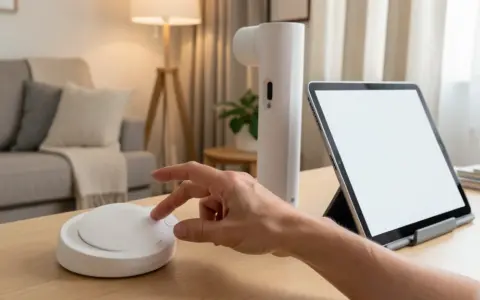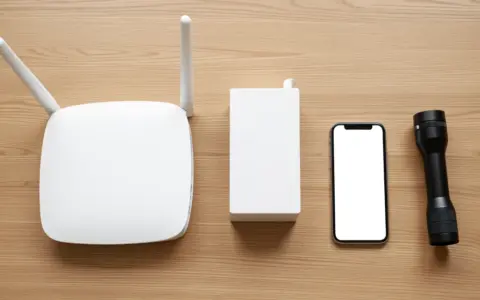


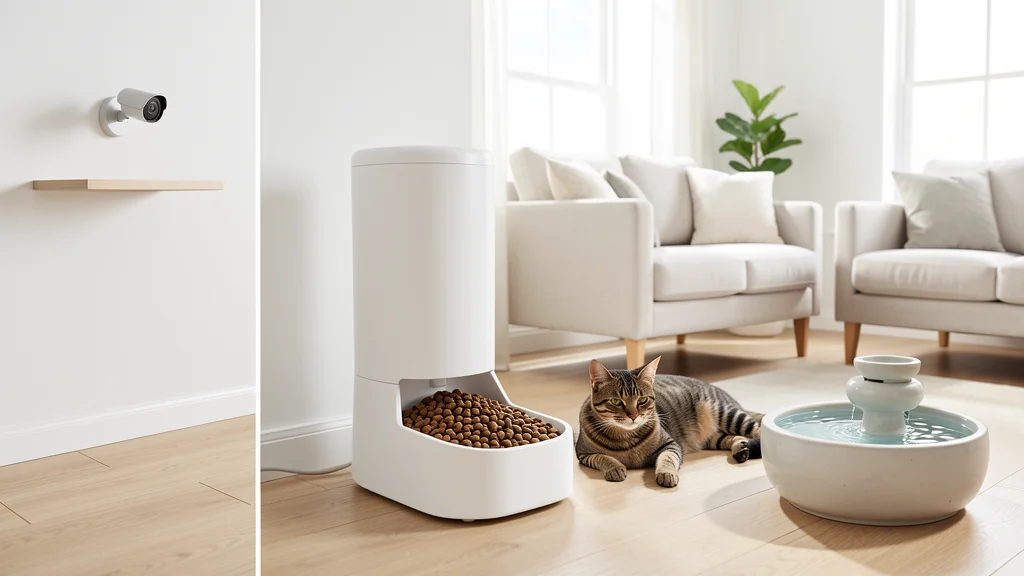
Pet care technology is most useful when it supports a clear human routine. A feeder can deliver a measured meal at a scheduled time, a camera can show what happened in one room, and a door sensor can confirm that an entry opened. None of those devices knows the whole animal. Appetite, posture, breathing, elimination, movement, coat condition, behavior, and the small changes noticed during direct contact still require a person’s attention.
Build the system around that limit. Automation should never replace daily observation, hands-on care, appropriate supervision, or veterinary advice. A reading or notification is one clue, not a diagnosis or proof that a pet is well. If an animal seems ill, injured, distressed, unable to eat or drink, or different in a concerning way, contact a veterinarian rather than waiting for an app to establish a pattern. The practical goal is continuity: make ordinary care easier to remember while preserving fail-safe options when power, Wi-Fi, batteries, accounts, or mechanical parts fail.
Begin with the care routine, not the device
Write down the recurring tasks for each animal: meals, fresh water, medication, walks or exercise, litter or habitat cleaning, grooming, training, and quiet observation. Include who normally completes each task and what the backup person needs to know. If responsibility is already unclear, a shared household chore system can clarify ownership before notifications are added.
Next, identify one narrow point of friction. Perhaps an early meal is difficult to deliver consistently, a water bowl empties sooner than expected, or a pet sitter needs a simple check-in method. State the desired outcome without naming a gadget: “serve the premeasured breakfast at 6 a.m.” is clearer than “buy a smart feeder.” This reveals whether a labeled container, written checklist, ordinary timer, or schedule change could solve the problem with less complexity.
Consider the animal as an individual. Noise, moving parts, reflective surfaces, unusual bowl shapes, collars, ramps, and new objects can cause hesitation or stress. Size, age, mobility, vision, hearing, medical needs, eating style, and multi-pet dynamics all matter. Introduce equipment while the old routine remains available. Watch the pet approach, use, and leave it over several normal cycles. Do not force interaction, and stop if the setup creates fear, guarding, conflict, entrapment, or unsafe chewing.
Use feeding automation with measured limits
An automatic feeder can support timing and portion preparation, but it does not confirm that the intended pet ate the food or that the mechanism delivered the expected amount. Before routine use, compare several dispensed portions with the amount specified in the pet’s care plan. Observe whether pieces bridge, crumble, collect moisture, or remain in the chute. Food shape and texture can affect delivery, so follow the feeder manual and the food label instead of assuming every combination works.
Store only an appropriate amount in the hopper, close it as directed, and keep the rest of the food in its original packaging or as recommended on the label. Clean food-contact parts on the stated schedule and dry them fully before reassembly. The FDA’s guidance on safe handling of pet food and treats reinforces basics such as washing hands and cleaning pet dishes; connected features do not change those hygiene needs.
Keep a manual meal available and make sure another person can operate the feeder without your phone. For pets with prescribed diets, medication mixed into food, swallowing concerns, rapid eating, or conditions affected by meal timing, ask the veterinarian whether automation fits the care plan. Never use a delivery notification as proof of appetite. Look at the remaining food, observe the pet, and record meaningful changes.
Make water and litter monitoring hygienic
Circulating fountains and water-level sensors may make refilling easier to notice, yet they add pumps, filters, crevices, cords, and reservoirs that need attention. Place water where the pet can reach it without negotiating a slippery path or crowded feeding area. Check the level and cleanliness directly every day. Maintain a plain backup bowl, especially during cleaning, travel, outages, or pump failure. Replace filters and clean components according to the manual; a moving surface is not evidence that the water or pump is clean.
Litter monitors, door counters, and weight platforms can show trends in visits or measured weight, but multi-pet homes, partial steps, play, cleaning, and moved equipment can distort records. Scoop and inspect waste as appropriate for the species and care plan rather than looking only at a chart. Clean sensor surfaces with methods safe for the pet and compatible with the equipment. Keep cords, batteries, cleaning products, and small detachable parts out of reach.
Changes in drinking, urination, stool, vomiting, or body weight can warrant veterinary attention. Do not adjust treatment or delay a call because an app labels a value “normal.” Consumer measurements may be incomplete or wrong, and an individual animal’s concerning change may occur within a broad displayed range.
Compare tools by the job they can actually do
| Care need | Technology can support | Human check and fail-safe |
|---|---|---|
| Scheduled meals | Release a prepared portion at a programmed time | Verify delivery and intake; keep a manual meal and cleaning plan |
| Fresh water | Circulate water or flag a low reservoir | Inspect, refresh, and clean directly; provide a backup bowl |
| Room awareness | Show a limited camera view or activity event | Check the animal in person and eliminate blind spots or hazards |
| Entry management | Report that a pet door, gate, or room door changed state | Confirm secure closure physically and maintain identification |
| Routine records | Collect times, counts, or measured trends | Add context, question anomalies, and share relevant notes with the veterinarian |
Interpret cameras, trackers, and activity data cautiously
A camera can help a caregiver see a chosen area, check whether a pet is resting, or review the moment around an event. It cannot show beyond its frame, feel room temperature at the animal’s level, smell smoke or waste, confirm breathing quality, or intervene. Avoid treating a still image as an all-clear. Position equipment so cords and mounts cannot be chewed or pulled down, and so the view does not intrude on private household areas. Two-way audio can startle some animals; introduce it while someone is present before using it remotely.
Collar trackers and activity devices can provide location or movement clues, but fit, battery state, coverage, obstructions, account service, and how the device calculates an event all affect results. A location point may be delayed or imprecise. It should not replace secure doors and fences, visible identification, a registered microchip where appropriate, or supervision. Check collar fit and the skin beneath it, follow veterinary advice, and remove or change equipment if irritation or snagging risk appears.
Activity totals become more useful when paired with context: weather, visitors, a changed walk, recovery instructions, or time spent away from the device. Look for a repeated departure from the animal’s own baseline, not a universal target. Share concise observations with the veterinarian when relevant, but avoid presenting the device’s interpretation as a medical conclusion.
Design every essential function to fail safely
List the ways each tool can stop helping: a feeder can jam, a fountain pump can stall, a tag battery can die, a camera can lose Wi-Fi, an app can log out, and a subscription or cloud service can change. For each failure, name the physical backup and the person responsible. Essential food, water, medication, temperature control, containment, and emergency care should never depend on one connected endpoint.
Run a short outage drill while someone is home. Disconnect the network, check which controls still work locally, and note whether schedules continue. Confirm that the physical buttons are accessible and understandable. Test low-battery and offline alerts when the manual permits, but do not create a condition that could harm the pet. Keep instructions, veterinary contacts, medication details, and an emergency handoff on paper or otherwise available without the primary account.
Choose conservative automation. Avoid remotely opening an exterior route unless a person can verify the surroundings and the pet’s status. Do not automate medication delivery without explicit professional guidance and dependable confirmation. If a device could trap, pinch, overfeed, overheat, spill, or allow escape, use barriers, placement, supervision, and manual checks to reduce the consequence of failure.
Protect the household account and its data
Pet devices can reveal occupancy patterns, camera footage, location history, routines, and household voices. Before enabling an account, review what data is collected, where recordings are stored, who can view them, and how deletion works. Disable features that do not serve the care task. Aim cameras narrowly, shorten retention when practical, and give sitters only the access they need for the time they need it.
Use a unique password, enable multifactor authentication when offered, install device and app updates, and remove former caregivers from shared access. Secure the home router using vendor instructions and the FTC’s practical guidance for protecting a home Wi-Fi network. A separate network for connected devices can limit exposure when the router supports it and the household can maintain it, but it is not a universal requirement or a replacement for updates and account security.
Create a maintenance rhythm people will follow
Place device care beside the pet-care routine rather than hiding it in a technology checklist. Daily checks might include food delivery, water condition, visible waste, the pet’s behavior, and urgent device warnings. Weekly work may include washing food-contact parts, checking cords and mounts, reviewing battery status, and comparing records with what people actually observed. Longer intervals can cover filters, software updates, shared access, identification details, and emergency instructions.
Use notifications sparingly. Assign urgent alerts to a primary and backup person, and distinguish them from informational summaries. An alert that nobody owns is only noise. When an alert arrives, inspect the animal and environment safely before resetting it. Record what happened, including false alarms and missed events, then adjust placement or thresholds within manufacturer guidance. Retire equipment that cannot be cleaned adequately, fails repeatedly, or adds more uncertainty than value.
A simple setup sequence
- Choose one recurring care task and write the nontechnical backup.
- Confirm the device suits the species, individual pet, home, and care plan; ask the veterinarian when health needs are involved.
- Read the full manual, inspect parts, update software, secure the account, and place equipment away from chewing, moisture, heat, and unstable surfaces.
- Introduce the device alongside the familiar routine while a person observes several complete cycles.
- Test alerts and likely failures without risking the animal, then teach a backup caregiver the manual method.
- Review after two weeks: keep the tool only if it improves consistency without weakening observation, hygiene, or safety.
Technology also works better in a healthy room. Practical steps to improve indoor air quality through everyday habits can complement appropriate litter, bedding, ventilation, and cleaning routines, although pet-specific needs should still guide product and cleaning choices.
Frequently asked questions
Can an automatic feeder replace a pet sitter?
No. It may deliver food, but it cannot confirm the pet’s overall condition, refresh dirty water, clean waste, respond to illness, or solve a jam reliably from a distance. Arrange capable human care based on the animal’s needs.
How often should pet technology be cleaned?
Use the manufacturer’s instructions, food or filter guidance, and veterinary advice. Food- and water-contact parts usually need a consistent washing and drying routine, while cameras and trackers need pet-safe surface care. Inspect between scheduled cleanings and act sooner when anything is dirty.
Should I call the veterinarian about a device alert?
First check the pet and situation if it is safe to do so. Contact the veterinarian for concerning symptoms or meaningful changes, regardless of the app’s label. For emergencies, use the veterinarian’s emergency instructions rather than waiting for more readings.
What is the most important backup?
A person who knows the care plan and can provide food, water, medication, containment, observation, and transportation without the device or primary account. Physical supplies and printed contacts make that backup usable.
Is more pet data always better?
No. Collect only information that supports a care decision or useful history. Excess notifications and recordings can obscure important events, burden caregivers, and expose household routines without improving the animal’s care.
Keep care visible
The best pet care technology disappears into a dependable routine without hiding the animal behind a dashboard. Use it to prompt, record, and support specific tasks. Keep manual options close, surfaces clean, accounts limited, and people responsible. Most importantly, look at and interact with the pet every day. Direct observation and timely veterinary care remain the center of the system.